
Gradio github:https://github.com/gradio-app/gradio
1. curl -fsSL https://ollama.com/install.sh | sh2. ollama pull llama3.1:8b
如果想了解详细的安装过程,请看此篇:
【干货】手把手教你搭建Ollama+OpenWebUI
source ~/miniconda3/bin/activateconda create -n charbot_1 python=3.12
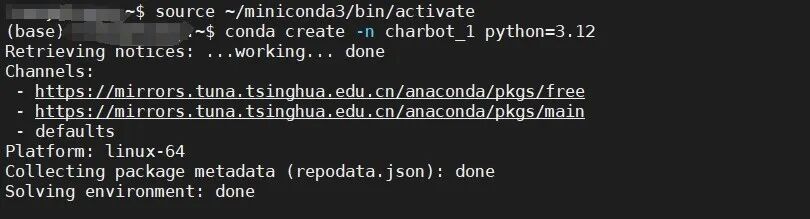
完成后继续以下指令,在虚拟环境中安装Gradio 。
conda activate charbot_1pip install gradio
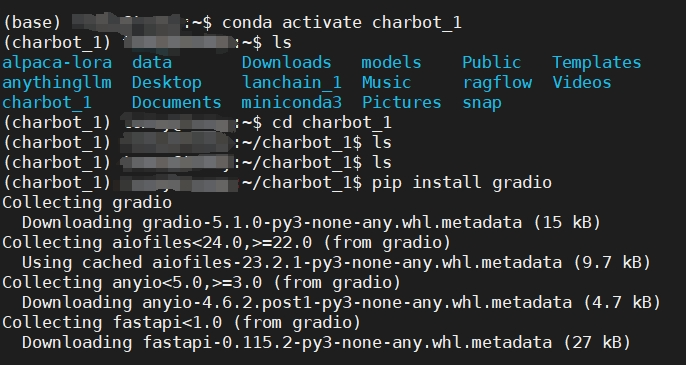
import requestsimport jsonimport gradio as grurl = "http://localhost:11434/api/generate"headers = {'Content-Type': 'application/json'}conversation_history = []def generate_response(prompt):conversation_history.append(prompt)full_prompt = "n".join(conversation_history)data = {"model": "llama3.1:8b","stream": False,"prompt": full_prompt}response =requests.post(url, headers=headers, data=json.dumps(data))if response.status_code == 200:response_txt = response.textdata = json.loads(response_txt)actual_response = data["response"]conversation_history.append(actual_response)return actual_responseelse:print("Error:", response.status_code, response.text)iface = gr.Interface(fn=generate_response,inputs=["text"],outputs=["text"])if __name__ == "__main__":iface.launch()
1. 先运行 ollama 把模型启动,在终端中运行
ollama run llama3.1:8B
2. 另开一个终端,进入python虚拟环境运行 charbot_1
python3 charbot_1

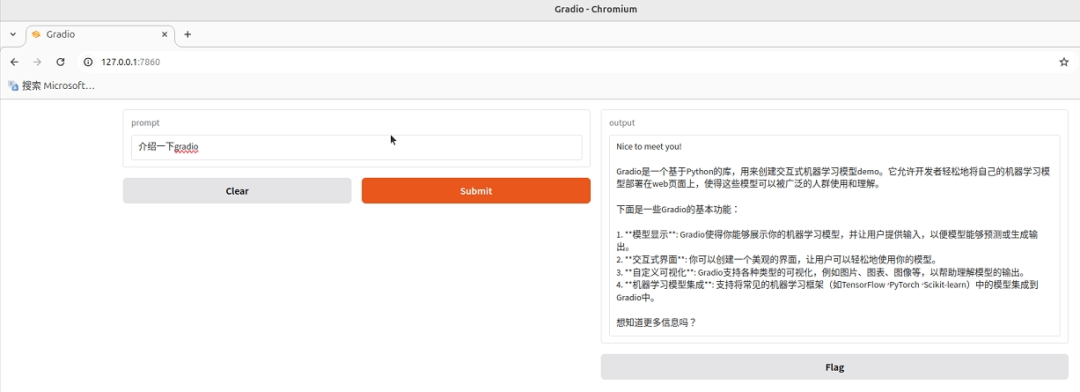
3. 在浏览器中打开
 –THE END–