

这是一个结合了AutoGen 和 CrewAI的开源项目,用于构建和管理多代理 LLM 系统。
因为AutoGen 和 CrewAI(文末有介绍文章)已经是做了封装了。基于CrewAI的开源项目,以前也有介绍。
CrewAI本身也有基于Langchain做了一些工作,所以Praison AI会是一种更低代码、集中式的框架,它旨在简化各种 LLM 应用程序的多代理系统的创建和编排,强调易用性、定制化和人机交互。

我们会看到使用这两个框架的示例(可以切换AutoGen 与 CrewAI)
他同时也提供一个图形界面来自动化执行代理操作
直接在对话框输入想要做的事情就会自动去执行
它有两种操作模式
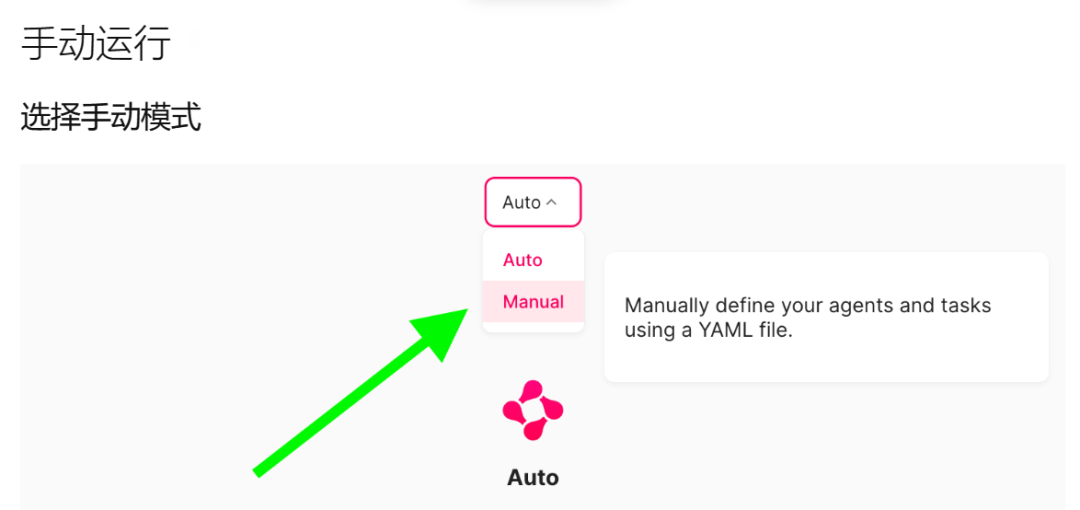
选择手动是可以自定义代理和工具的
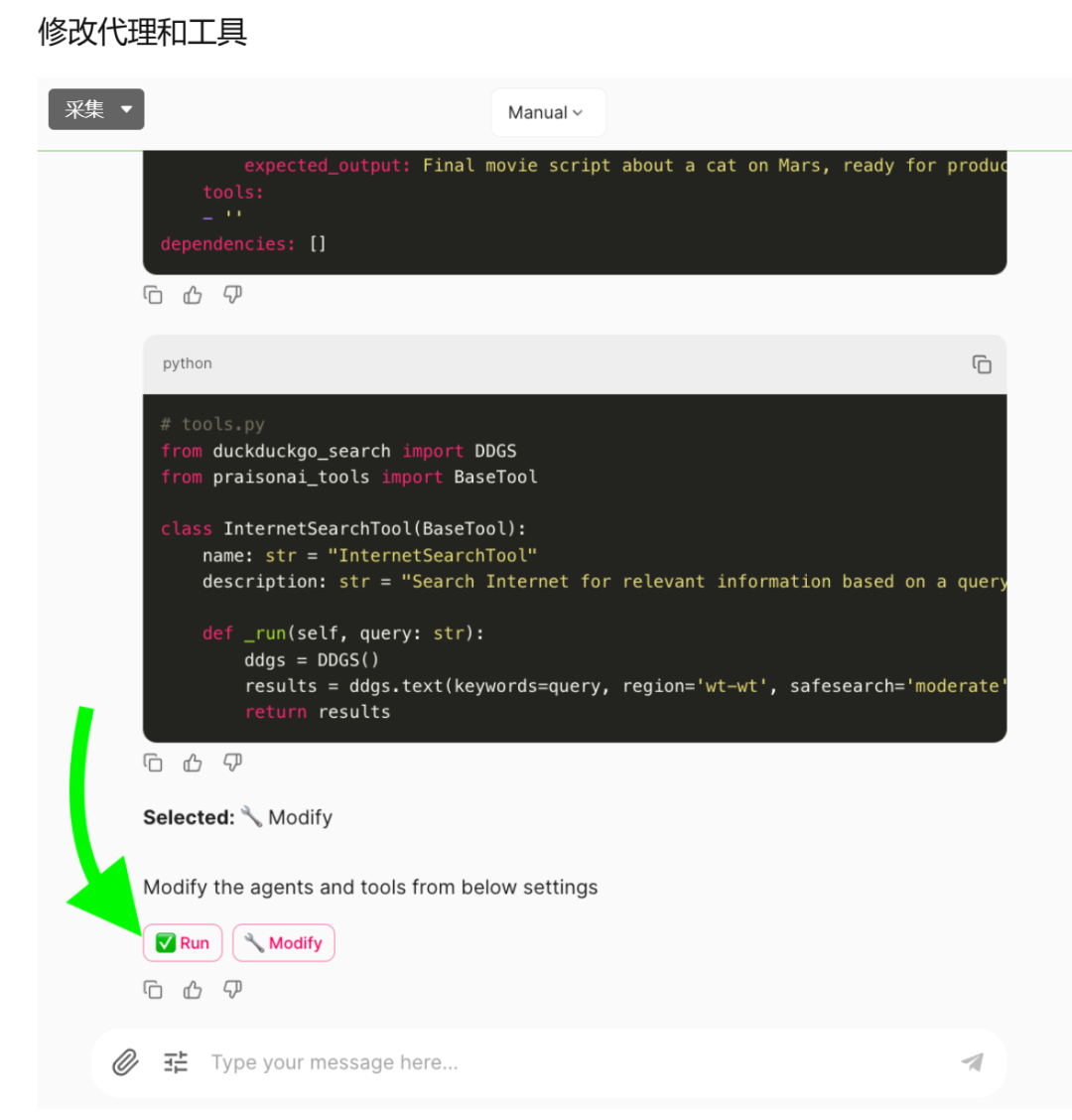
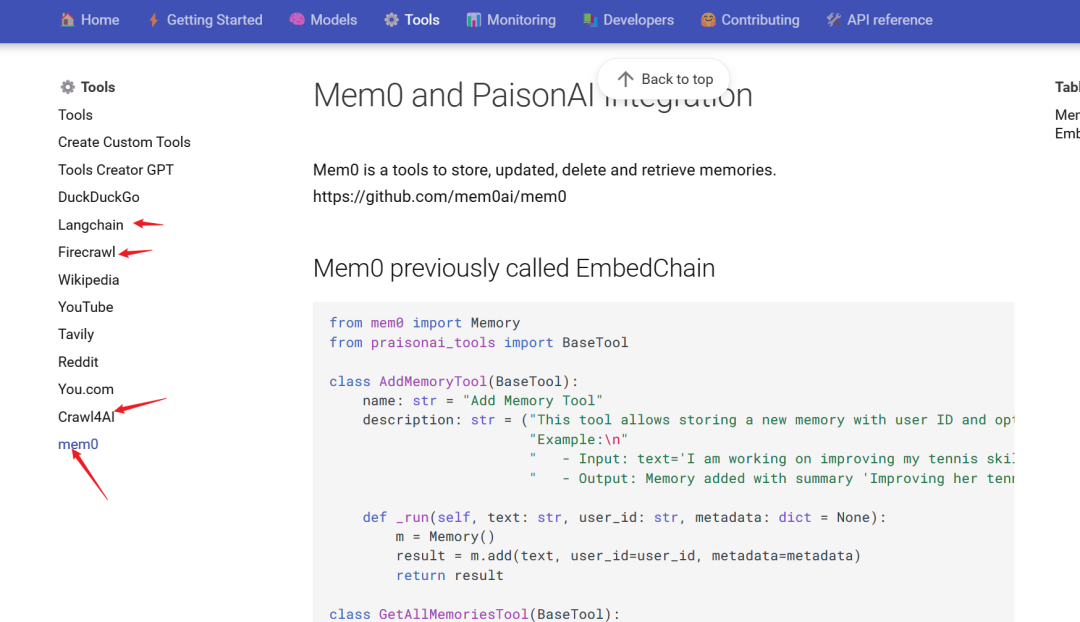
工具集成有mem0、Craw4AI、Firecrawl、Langchain这些,这几个以往文章都有介绍,一个记忆层,两个AI爬虫,最后一个不用介绍了。
同时他也提供了众多模型的支持
Praison AI目前实现有这些功能:
-
自动创建 AI 代理
-
使用 CrewAI 或 AutoGen 框架
-
100+ 法学硕士支持
-
与整个代码库聊天
-
交互式用户界面
-
基于 YAML 的配置
-
自定义工具集成
下面提供官方的文档介绍、相关资源、部署教程等,进一步支撑你的行动,以提升本文的帮助力。
Praison AI
Praison AI 利用 AutoGen 和 CrewAI 或其他任何代理框架,代表了一个低代码、集中化的框架,旨在简化多代理系统的创建和编排,适用于各种 LLM 应用,强调易用性、定制化和人机交互。
不同的用户界面:
| 界面 | 描述 | URL |
| UI | 多代理如 CrewAI 或 AutoGen | https://docs.praison.ai/ui/ui |
| Chat | 与 100+ LLMs 单个 AI 代理聊天 | https://docs.praison.ai/ui/chat |
| Code | 与整个代码库单个 AI 代理聊天 | https://docs.praison.ai/ui/code |
Google Colab 多代理
| Cookbook | Open in Colab | |
| Basic | PraisonAI |  |
| Include Tools | PraisonAI Tools |  |
安装
| PraisonAI | PraisonAI Code | PraisonAI Chat |
pip install praisonai |
pip install "praisonai[code]" |
pip install "praisonai[chat]" |
主要特征
-
• 自动化 AI 代理创建
-
• 使用 CrewAI 或 AutoGen 框架
-
• 支持 100+ LLM
-
• 与整个代码库聊天
-
• 交互式 UI
-
• 基于 YAML 的配置
-
• 自定义工具集成
TL;DR 多代理
pip install praisonai
export OPENAI_API_KEY="Enter your API key"
praisonai --init create a movie script about dog in moon
praisonai
目录
-
• 安装
-
• 初始化
-
• 运行
-
• 全自动模式
-
• 用户界面
-
• Praison AI Chat
-
• 创建自定义工具
-
• 代理剧本
-
• 在项目中包含 praisonai 包
-
• 安装开发依赖的命令
-
• 其他模型
-
• 贡献
-
• 星历史
安装多代理
pip install praisonai
初始化
export OPENAI_API_KEY="Enter your API key"
从这里生成您的 OPENAI API 密钥:https://platform.openai.com/api-keys
注意:您可以使用其他提供商,如 Ollama、Mistral 等。详细信息在底部提供。
praisonai --init create a movie script about dog in moon
这将在当前目录中自动创建 agents.yaml 文件。
使用特定代理框架初始化(可选):
praisonai --framework autogen --init create movie script about cat in mars
运行
praisonai
或
python -m praisonai
指定代理框架(可选):
praisonai --framework autogen
全自动模式
praisonai --auto create a movie script about Dog in Moon
用户界面
PraisonAI 用户界面:
| 界面 | 描述 | URL |
| UI | 多代理如 CrewAI 或 AutoGen | https://docs.praisonai.com/ui/ui |
| Chat | 与 100+ LLMs 单个 AI 代理聊天 | https://docs.praisonai.com/ui/chat |
| Code | 与整个代码库单个 AI 代理聊天 | https://docs.praisonai.com/ui/code |
pip install -U "praisonai[ui]"
export OPENAI_API_KEY="Enter your API key"
chainlit create-secret
export CHAINLIT_AUTH_SECRET=xxxxxxxx
praisonai ui
或
python -m praisonai ui
Praison AI Chat
-
• https://docs.praison.ai/chat/
pip install "praisonai[chat]"
export OPENAI_API_KEY="Enter your API key"
praisonai chat
Praison AI Code
pip install "praisonai[code]"
export OPENAI_API_KEY="Enter your API key"
praisonai code
创建自定义工具
-
• https://docs.praison.ai/tools/custom/
代理剧本
简单剧本示例
framework: crewai
topic: Artificial Intelligence
roles:
  screenwriter:
    backstory: "Skilled in crafting scripts with engaging dialogue about {topic}."
    goal: Create scripts from concepts.
    role: Screenwriter
    tasks:
      scriptwriting_task:
        description: "Develop scripts with compelling characters and dialogue about {topic}."
        expected_output: "Complete script ready for production."
使用 100+ 模型
-
• https://docs.praison.ai/models/
在项目中包含 praisonai 包
-
• https://docs.praison.ai/developers/wrapper
-
• https://docs.praison.ai/developers/wrapper-tools/
选项 1:使用 RAW YAML
from praisonai import PraisonAI

# 示例 agent_yaml 内容
agent_yaml = """
framework: "crewai"
topic: "Space Exploration"

roles:
  astronomer:
    role: "Space Researcher"
    goal: "Discover new insights about {topic}"
    backstory: "You are a curious and dedicated astronomer with a passion for unraveling the mysteries of the cosmos."
    tasks:
      investigate_exoplanets:
        description: "Research and compile information about exoplanets discovered in the last decade."
        expected_output: "A summarized report on exoplanet discoveries, including their size, potential habitability, and distance from Earth."
"""

# 使用 agent_yaml 内容创建 PraisonAI 实例
praisonai = PraisonAI(agent_yaml=agent_yaml)

# 运行 PraisonAI
result = praisonai.run()

# 打印结果
print(result)
选项 2:使用单独的 agents.yaml 文件
注意:请预先创建 agents.yaml 文件。
from praisonai import PraisonAI

def basic(): # 基本模式
    praisonai = PraisonAI(agent_file="agents.yaml")
    praisonai.run()

if __name__ == "__main__":
    basic()
安装依赖的命令:
-
1. 安装所有依赖,包括开发依赖:
poetry install
-
2. 仅安装文档依赖:
poetry install --with docs
-
3. 仅安装测试依赖:
poetry install --with test
-
4. 仅安装开发依赖:
poetry install --with dev
这个配置确保您的开发依赖项被正确分类,并在需要时安装。
Mem0 AI:开源一天斩获万星!超越 RAG、为LLM、Agent加上超强个性记忆!
Devyan (CrewAI) + DeepSeek-Coder-V2:几秒钟生成一个应用程序(本地、快速、一次提示)
14.8k Star!CrewAI:部署一支由你指挥的人工智能代理大军,股票分析、发布帖子、支持Ollama!
2024年AI+爬虫指南:使用JinaAI、FireCrawl、Crawl4AI(别用Beautiful Soup了)
