安装 Docker
curl -fsSL https://get.docker.com | bash -s docker –mirror Aliyun
systemctl enable –now docker
安装 docker-compose
curl -L https://github.com/docker/compose/releases/download/2.20.3/docker-compose-uname -s–uname -m -o /usr/local/bin/docker-compose
chmod +x /usr/local/bin/docker-compose
验证安装
docker -v

docker-compose -v

创建文件夹
mkdir fastgpt && cd fastgpt
拉取 docker-compose.yml 和 config.json 配置文件
curl -O https://raw.githubusercontent.com/labring/FastGPT/main/files/deploy/fastgpt/docker-compose.yml
curl -O https://raw.githubusercontent.com/labring/FastGPT/main/projects/app/data/config.json
如何获取 OpenAI 的 API KEY ?
登录智言AI 开发者平台 https://chat.chatgptten.com/
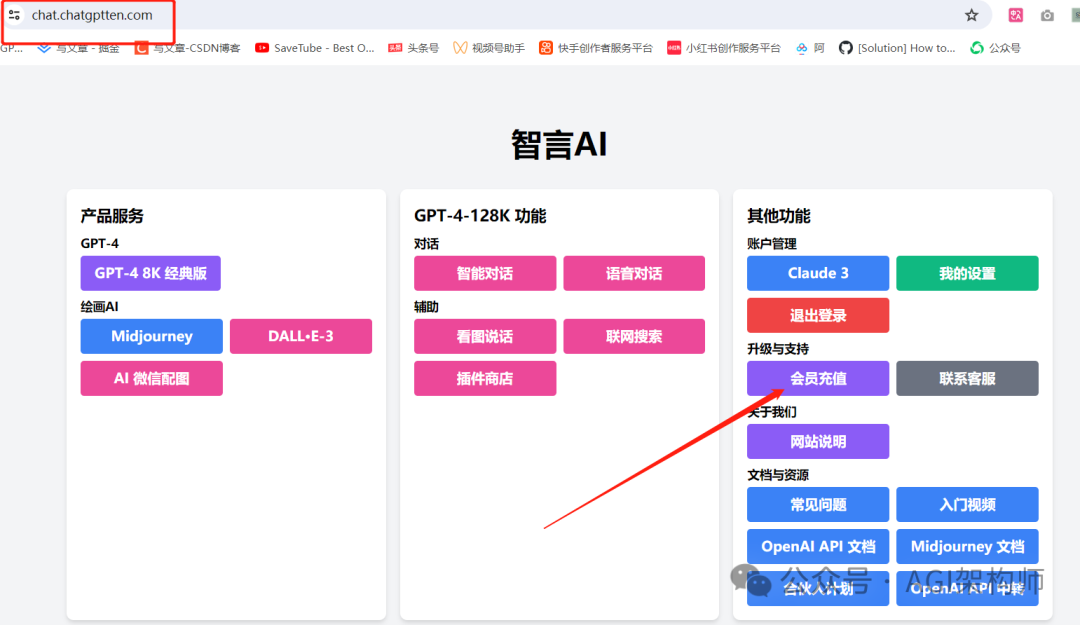
选择【OpenAI API-KEY(兑换码 5 刀)】进行购买
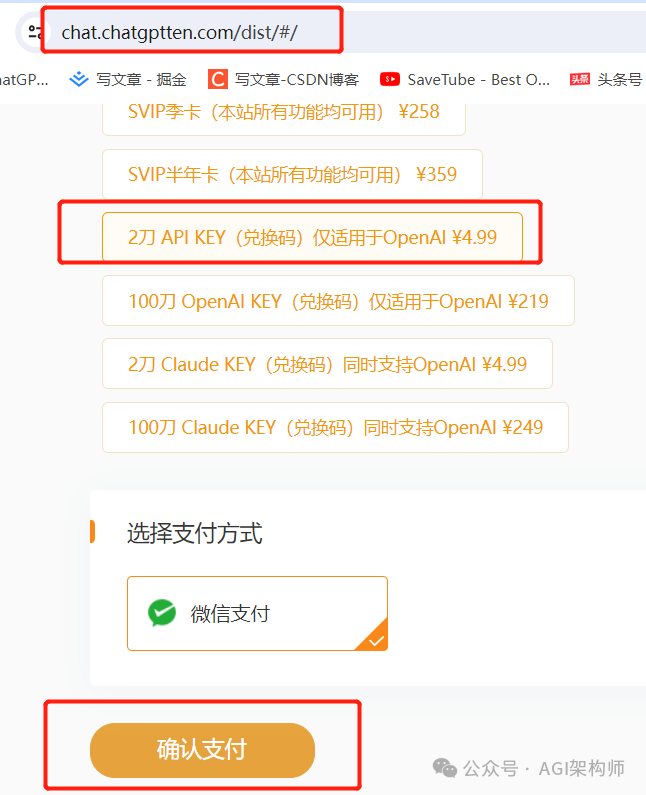
3、支付成功, 会收到 1 封兑换码的邮件,把邮件中收到的兑换码填写好

4、兑换码填写
创建 token
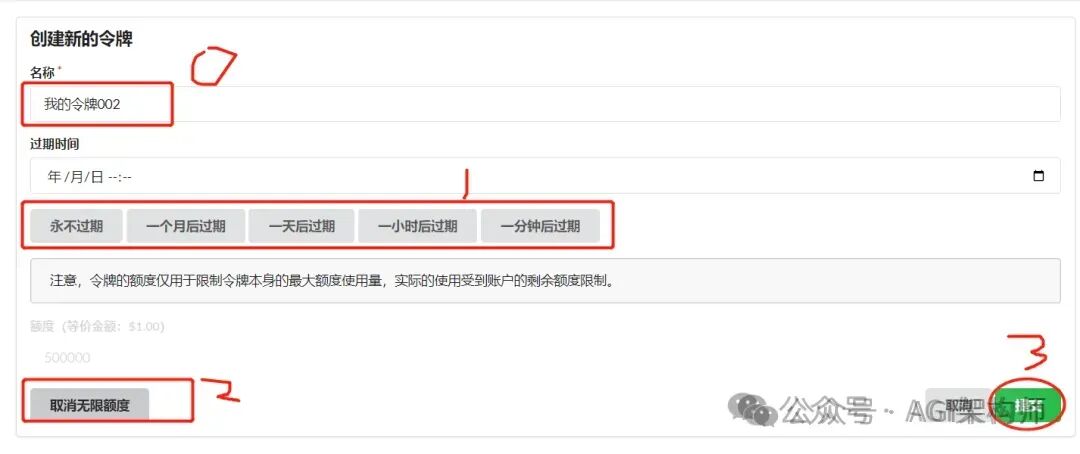
5、将创建好的令牌复制出来
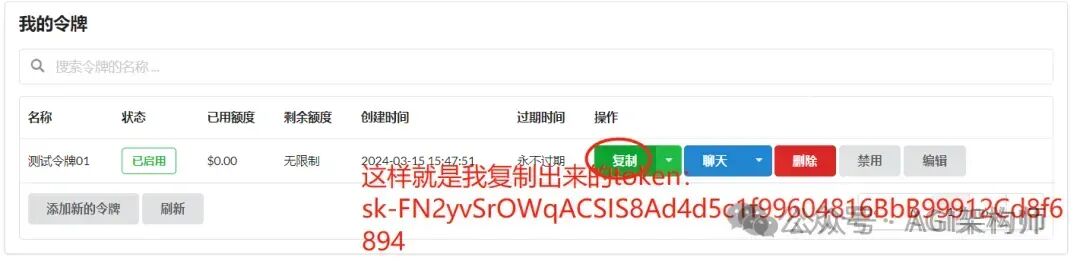
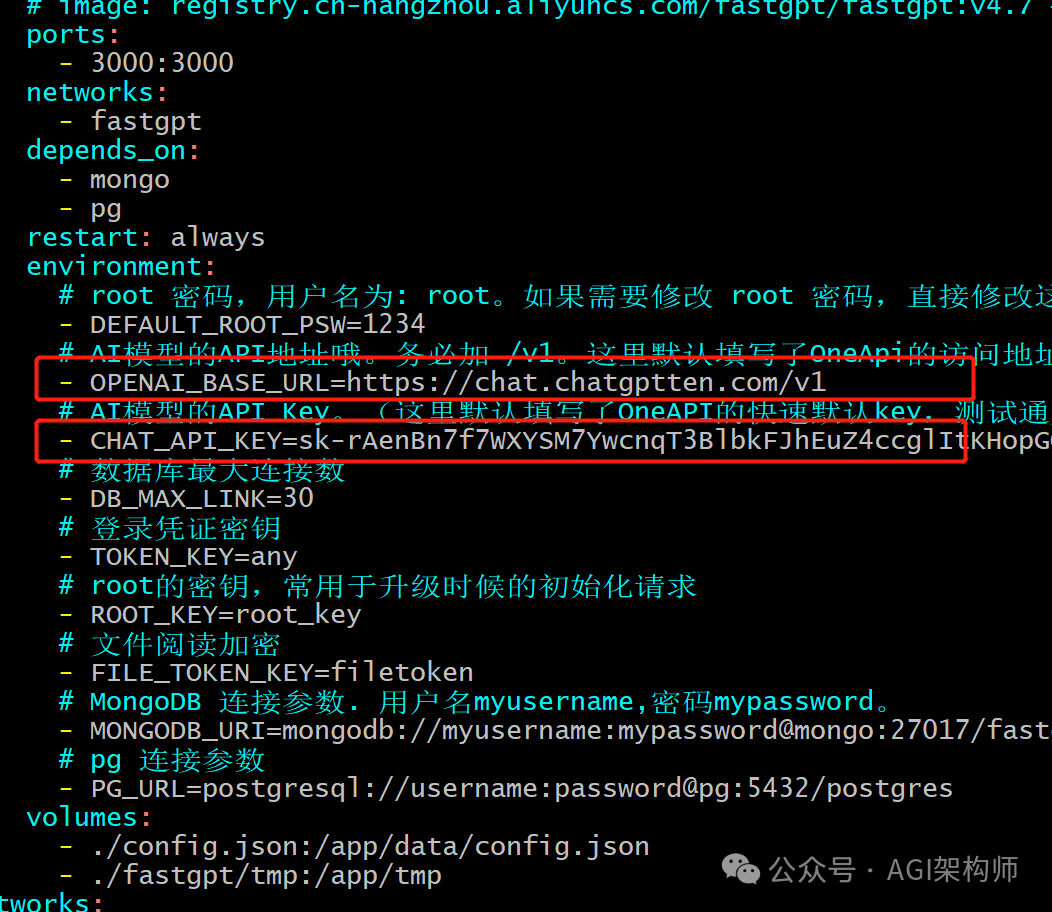
编辑 docker-compose.yml
修改docker-compose.yml中的DEFAULT_ROOT_PSW、OPENAI_BASE_URL和CHAT_API_KEY
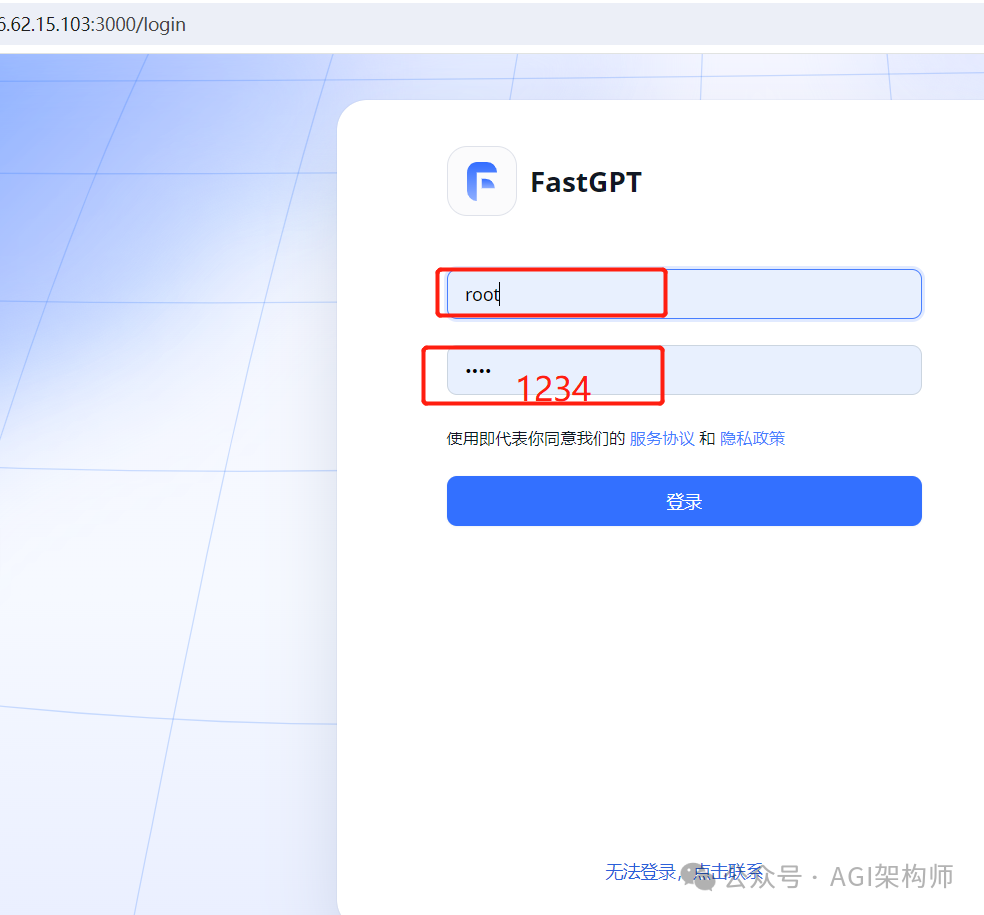
DEFAULT_ROOT_PSW:FastGPT登录密码,用户名为root。
OPENAI_BASE_URL:使用 OpenAI 官方 Key 无需更改。第三方 API 则改为第三方的地址,例如:https://chat.chatgptten.com/v1
CHAT_API_KEY :前往【OpenAI 官方】或【本站自营低价 API】API Key(官方 Key 只会在创建时可见,记得保存好。)
修改好后点击右下角确认按钮进行保存。
通过 dockcompose 启动 FastGPT
进入
docker-compose up
启动成功

进行登录
登录后进入系统,新创建的FastGPT里是一片空白,我们先点击左侧菜单栏—知识库—新建(右上角)—知识库。只需要给知识库取个名字,其他设置使用默认。
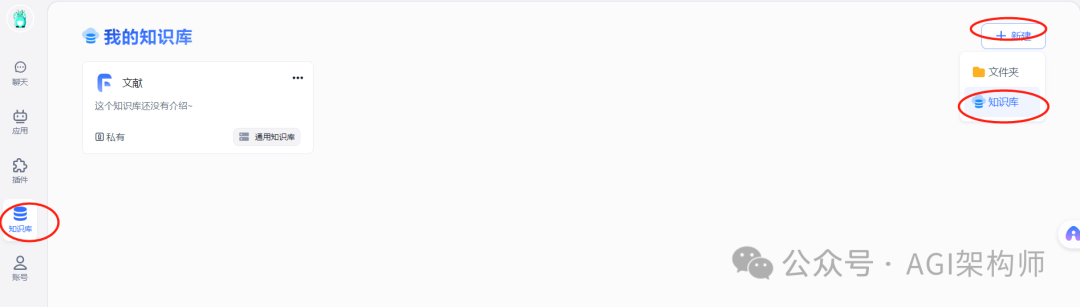
创建第一个知识库
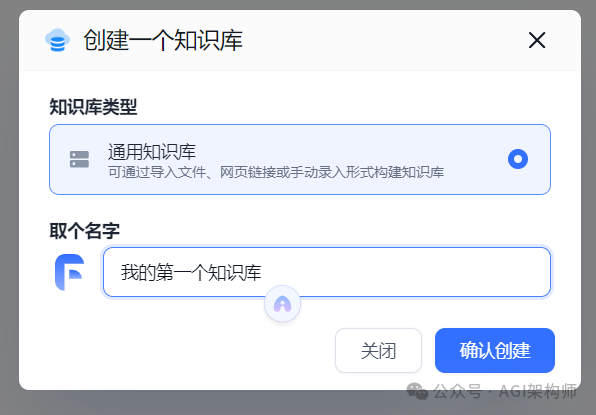
新建一个知识库
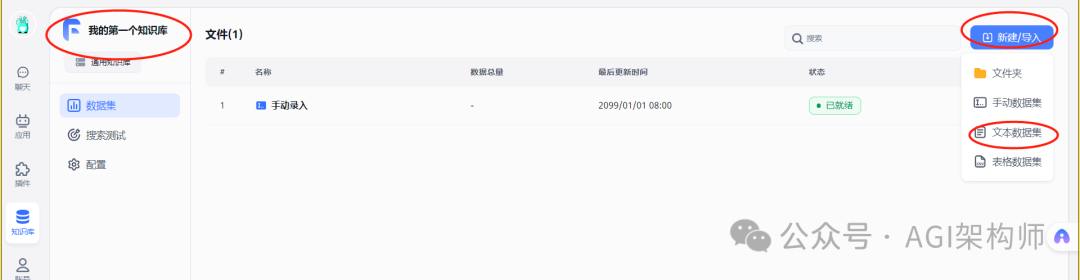
选择文件
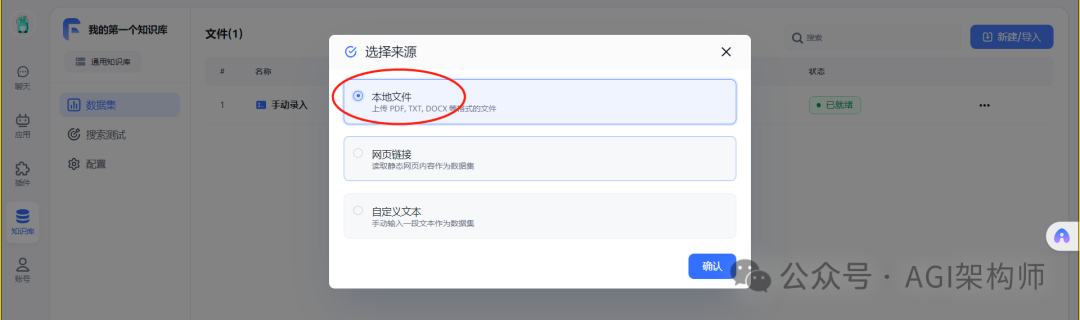
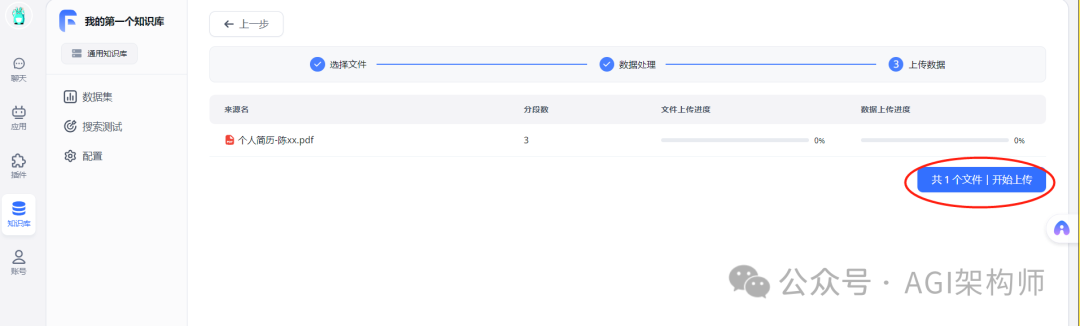
文件上传
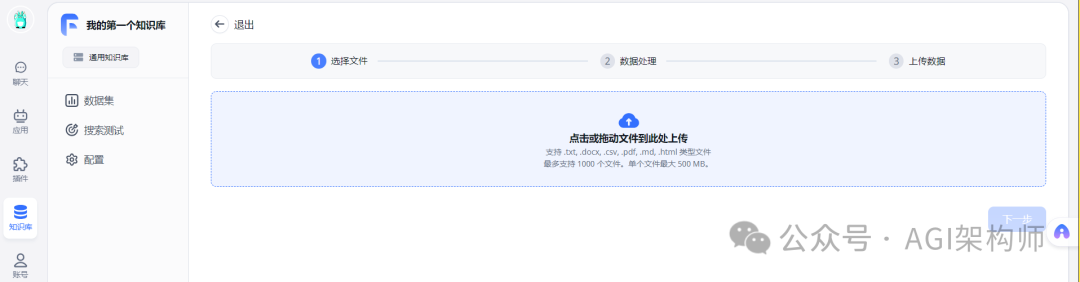
数据处理
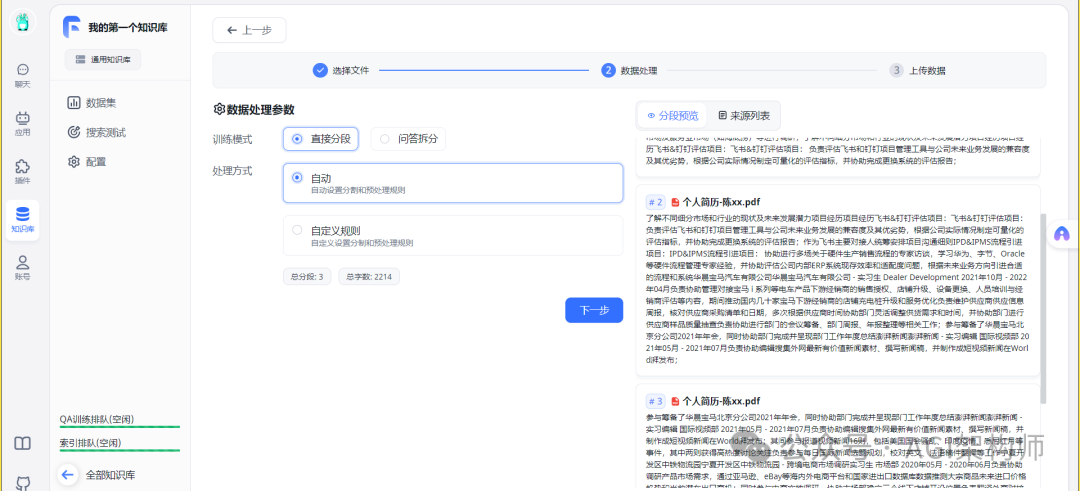
创建知识库
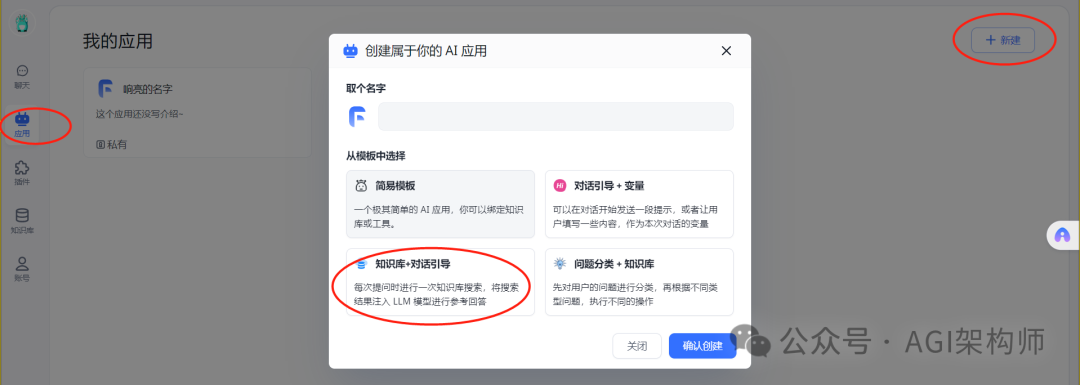
创建AI应用
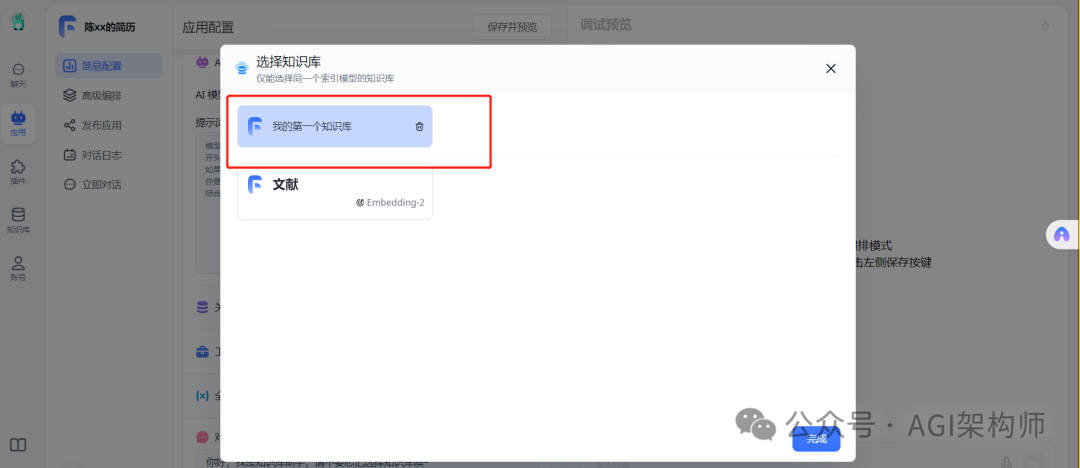
关联上面创建好的知识库
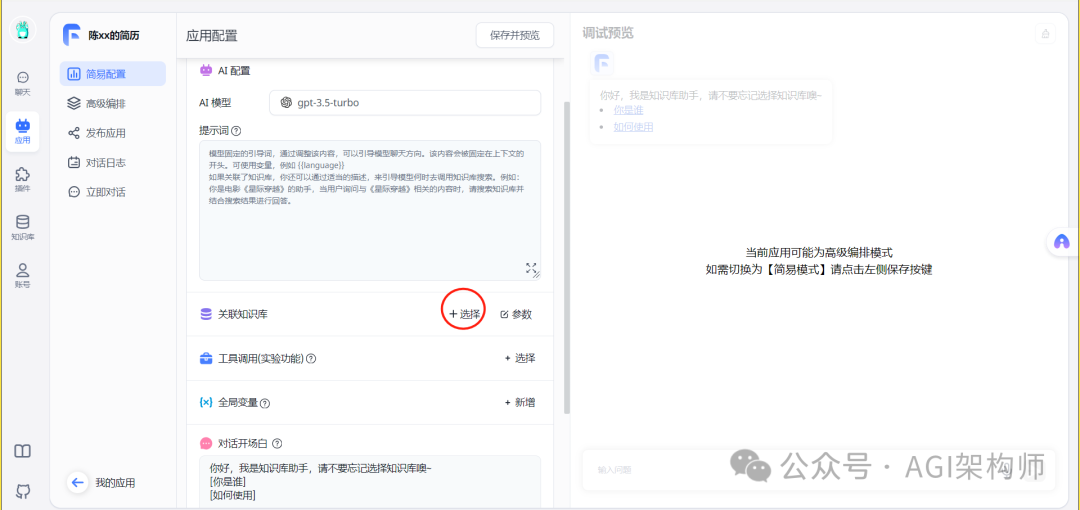
选择一个知识库
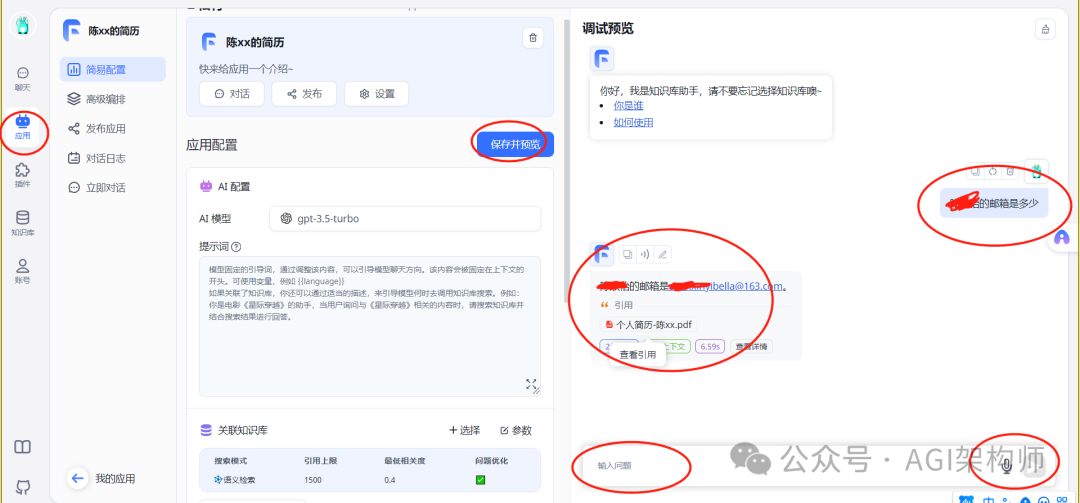
最终效果